Back

Revolutionizing last mile delivery

  • Driver app
  • Receiver web app
  • Redesign
Deed Delivery customer tracking screen

Overview

Product Deed

A last mile delivery platform. Drivers plan and complete their routes in the driver app, and receivers track and manage deliveries on the web.

Details

surface
Driver app · Receiver web app
role
Product Designer
scope
Redesign · UX/UI

Problem A crowded home screen

Status cards looked like buttons, color competed with content and nothing guided the eye, while new features still had to fit in.

Solution One clear card system

A rebuilt home screen with distinct cards for pickups, drop-offs and access points, plus open tasks, search and manual shipments.

Result Two calmer apps

A redesigned driver app, and a receiver tracking flow that covers each delivery state from out for delivery to completed.

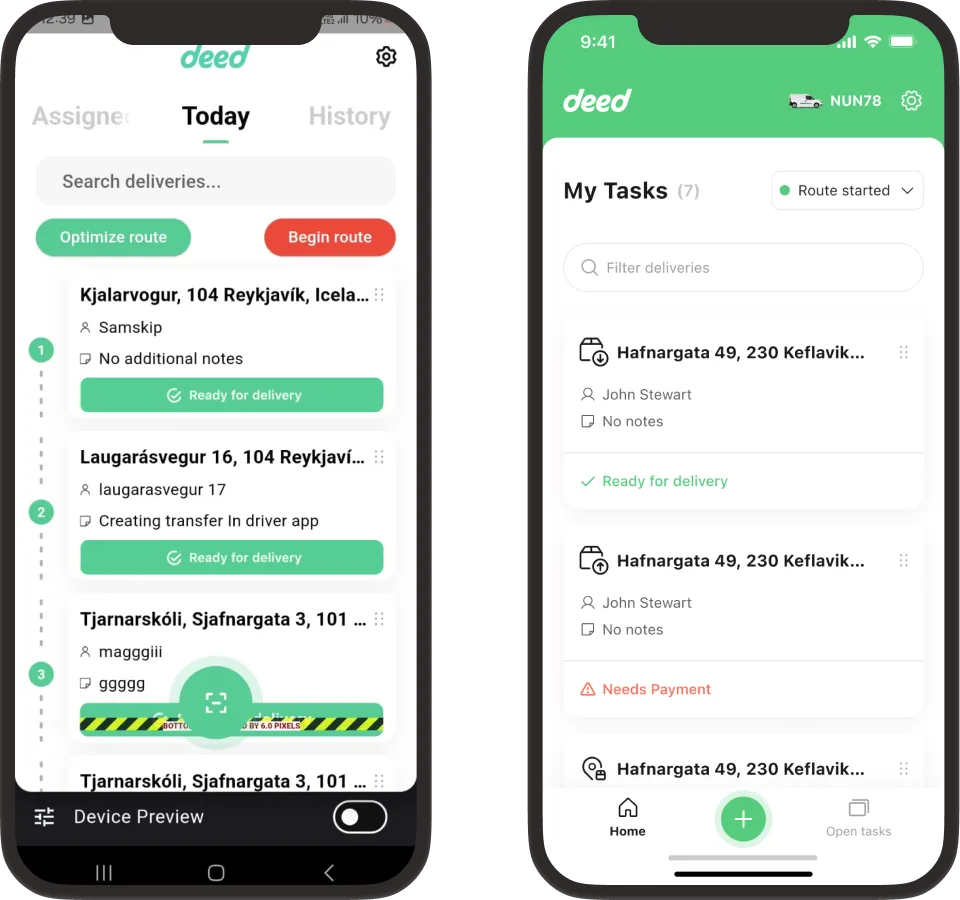
The old home screen was crowded, loud and hard to scan.

Issues I noticed right away:

  • Status cards looked like buttons, but weren’t clickable.
  • Too much color distracted from the main content of each delivery card.
  • The “Optimize route” and “Begin route” buttons used color inconsistently.
  • Text colors and font sizes were out of balance, with no clear hierarchy to guide the eye.
  • The tab bar went unused, leaving no room for new features without crowding the page.
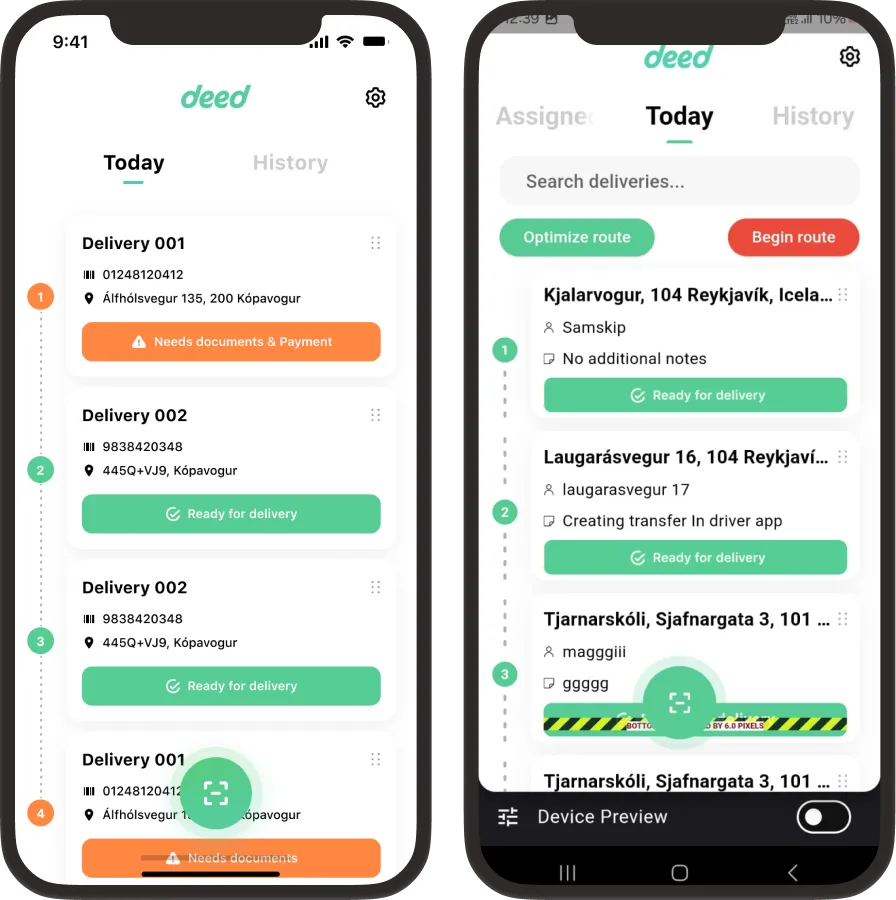
Old driver app screenshots
The old driver app.

On top of those fixes, the home screen had to make room for five new features.

  • Car model: which car the driver is using.
  • Card types: a way to tell pickups, drop-offs and access points apart.
  • Open tasks: unassigned deliveries any driver can claim.
  • Manual shipments: adding a shipment to the list by hand.
  • Shipment search: searching all available shipments, not only the driver’s list.

The screen was already crowded, and every new feature made it harder, so the redesign took many iterations.

Driver app homepage, old version and new version
Driver home screen, old on the left and new on the right.

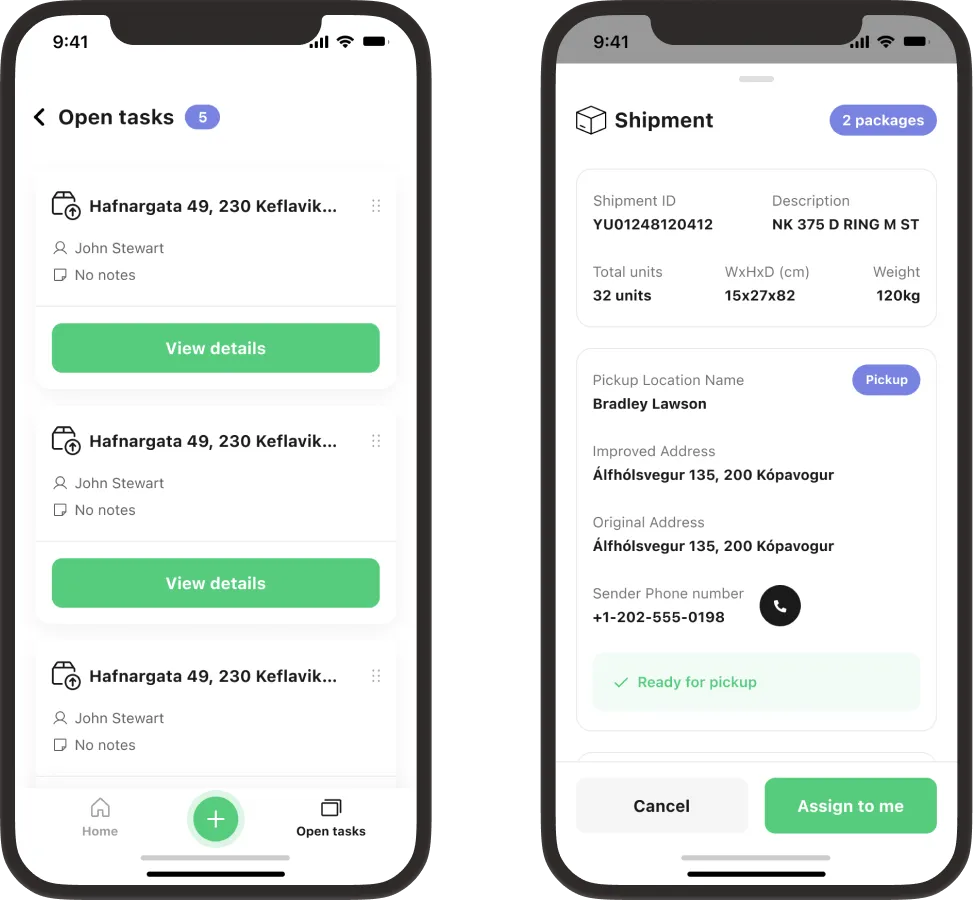
Open TasksClaim unassigned deliveries

Drivers see deliveries no one has claimed yet and can assign any of them to themselves, with full shipment details one tap away.

Open tasks and shipment details

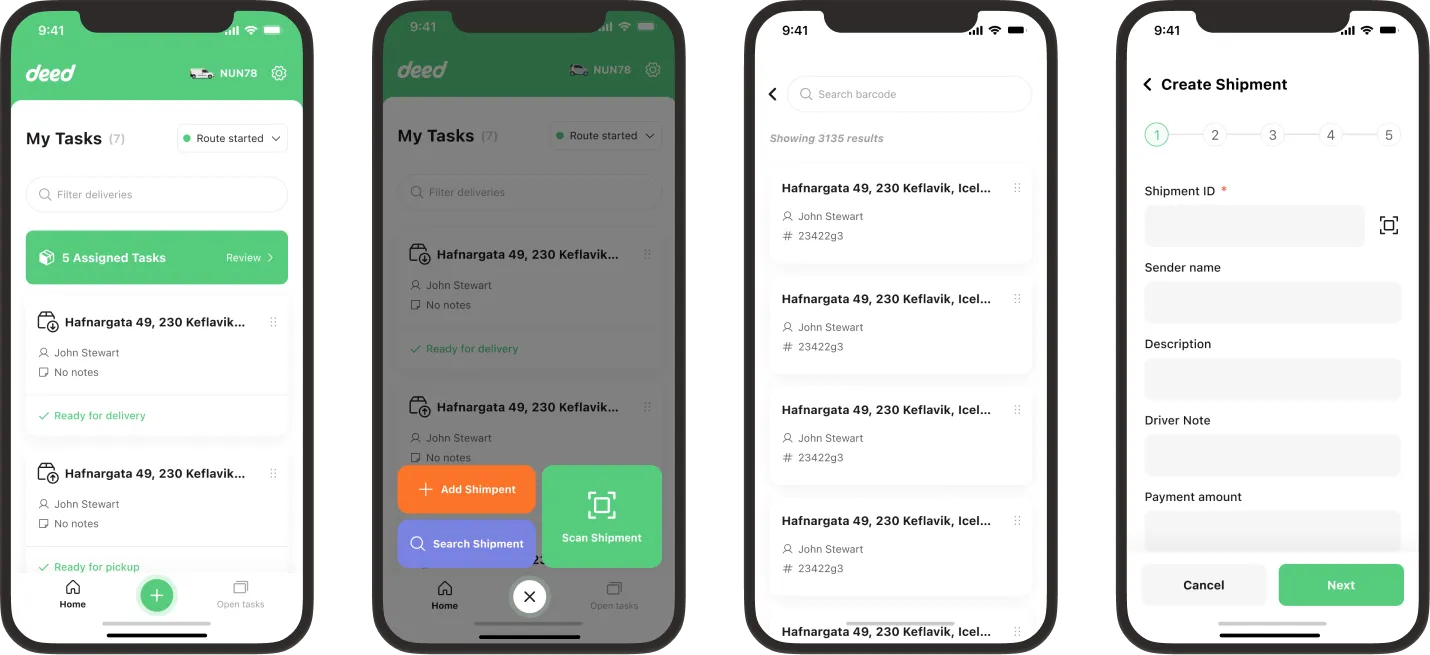
Add and Find ShipmentsManual entry and global search

Drivers can search all available shipments, add one to their list, or create a new shipment by hand.

Add shipment, search, and create shipment

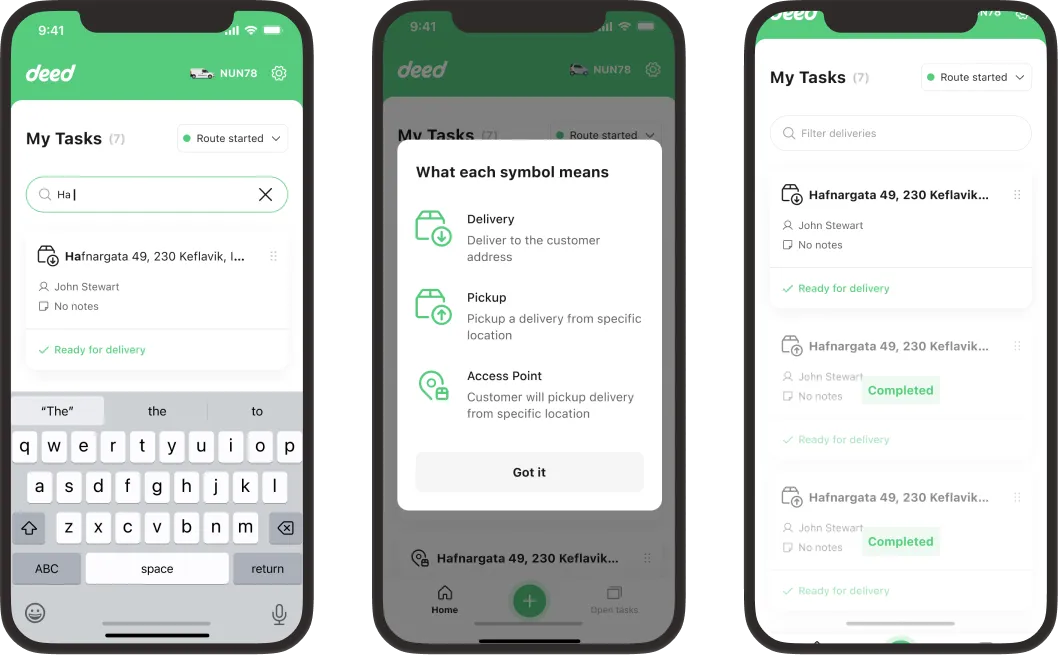
Search, Symbols and FiltersThree delivery types at a glance

Clear symbols tell pickups, drop-offs and access points apart, and filters narrow a long list down fast.

Search, symbols, and filtering

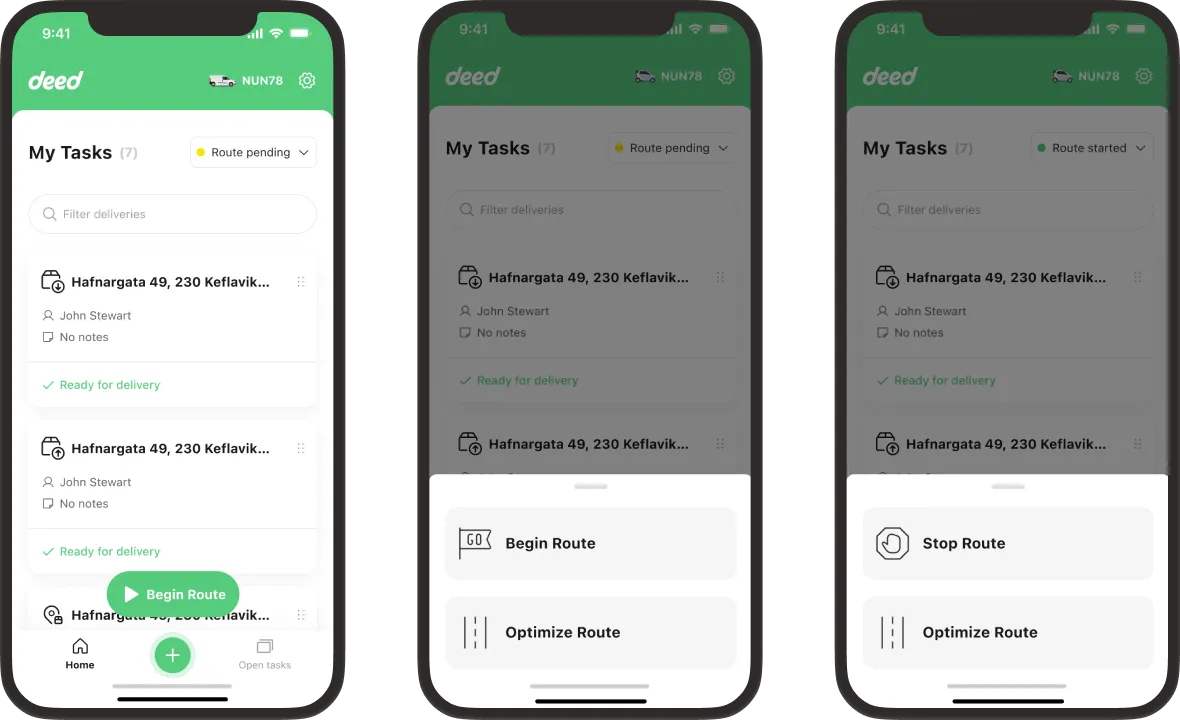
Route ManagementBegin, pending, started

Drivers begin, optimize and stop a route from one sheet, and the list shows whether the route is pending or started.

Route management: begin, pending, started

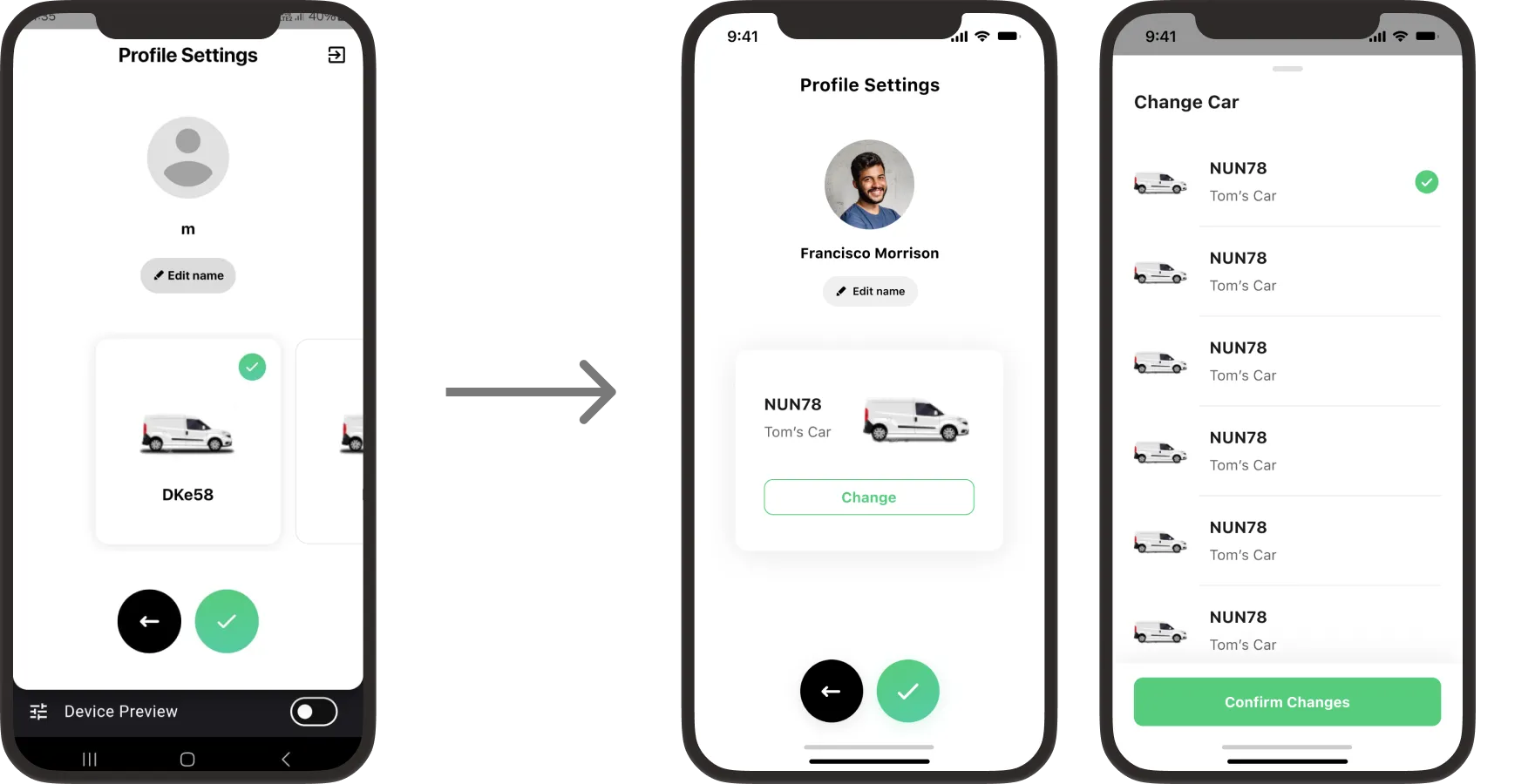
Profile and CarSwitching cars in a few taps

The new profile shows which car the driver is using, and changing cars takes a couple of taps.

Profile settings old vs new and change car
Old profile on the left, new profile and car picker on the right.

The receiver app had the same issues, and parts of it weren’t accessible.

Issues I noticed right away:

  • Status cards looked like buttons, but weren’t clickable.
  • Too much color distracted from the main elements.
  • Some elements weren’t accessible.
Old receiver app screenshots
The old receiver app.

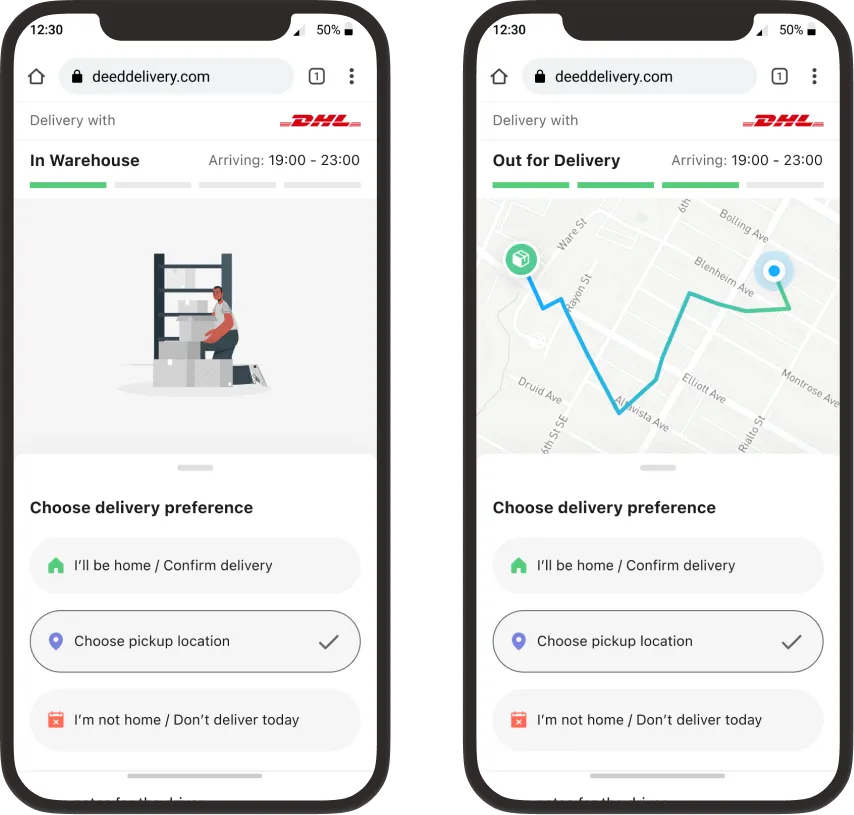
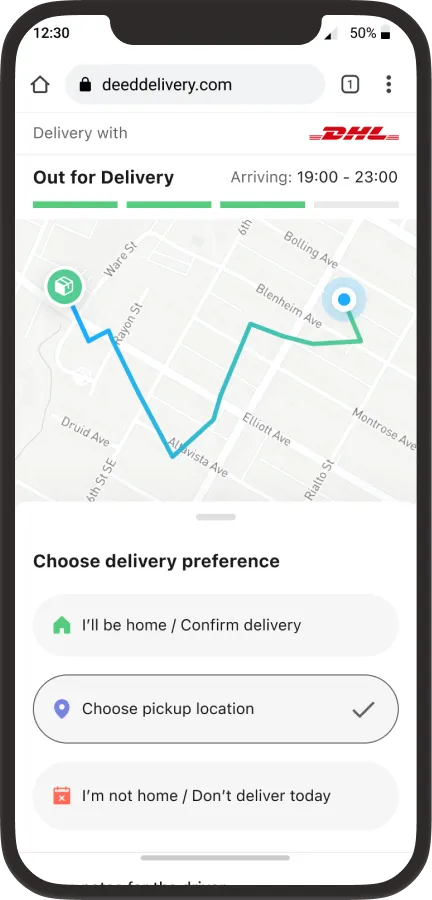
Live Delivery TrackingA new web experience for receivers

Receivers follow their package from the warehouse to their door and choose how they want to receive it.

New receiver web tracking screens

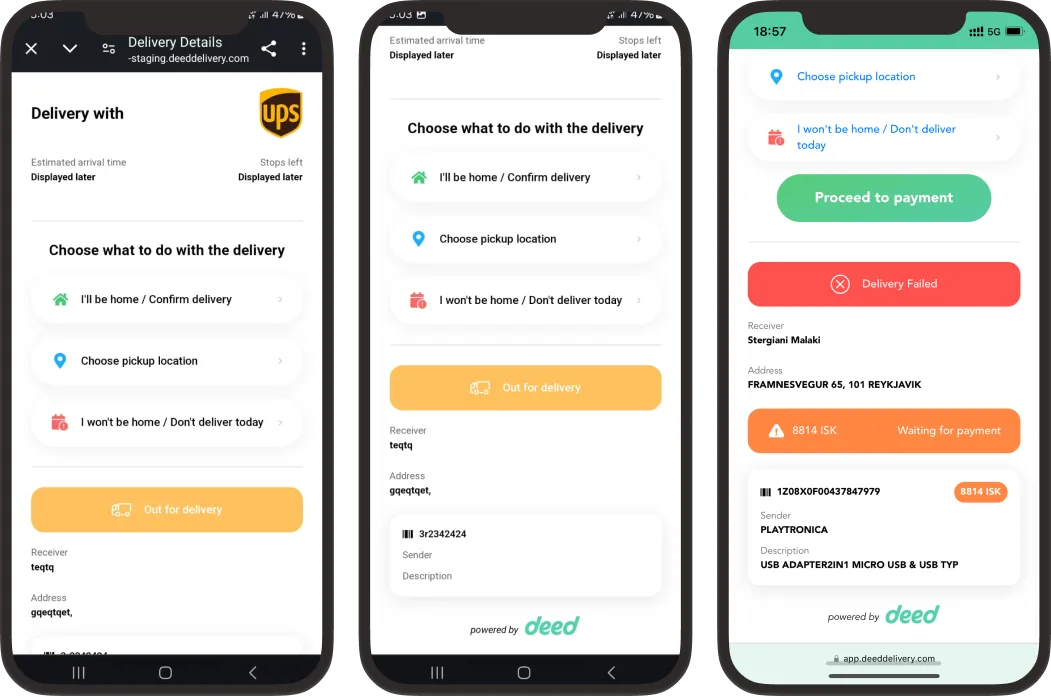
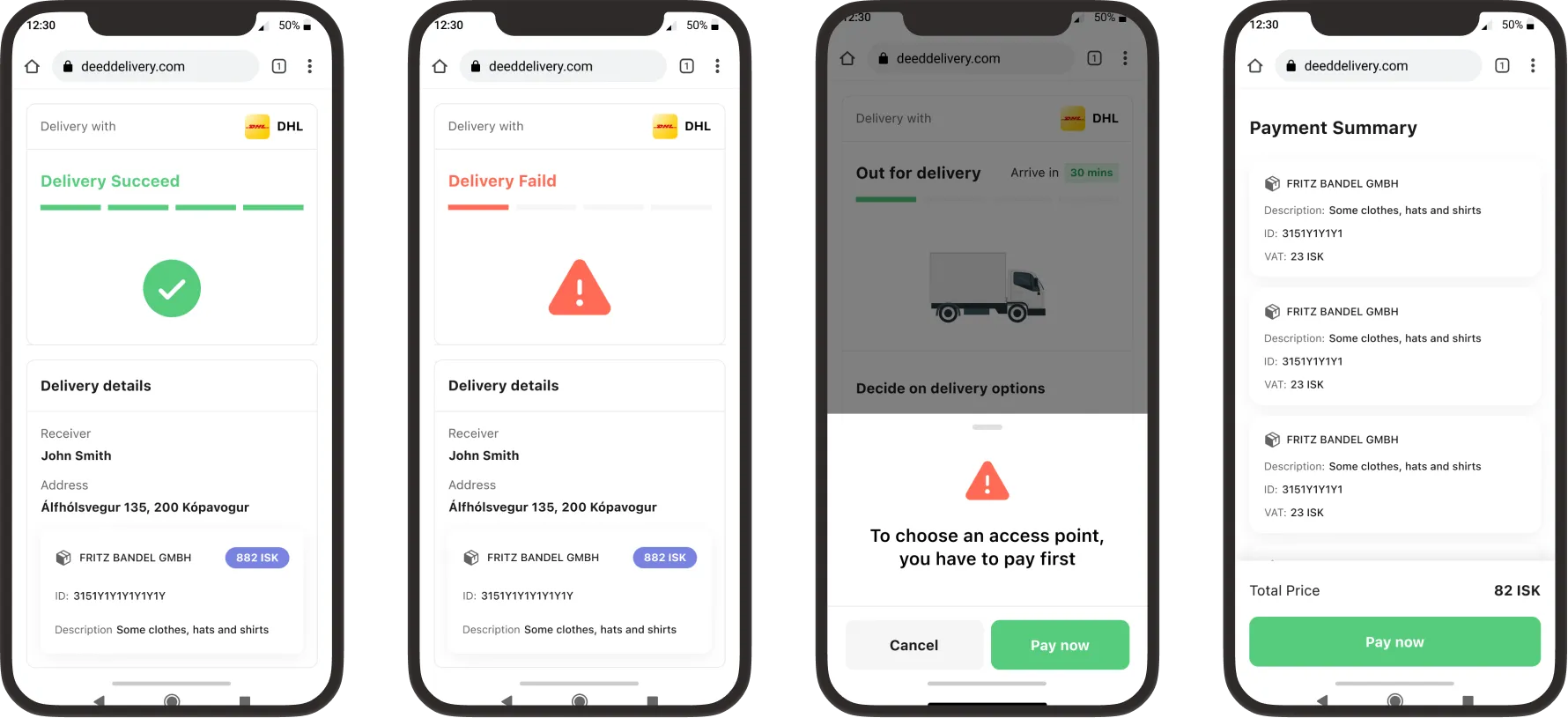
Delivery StatesSucceeded, failed, out for delivery, payment

Each state gets its own screen, from a successful handover to a failed attempt or a pending payment.

Delivery states: succeeded, failed, out for delivery, payment

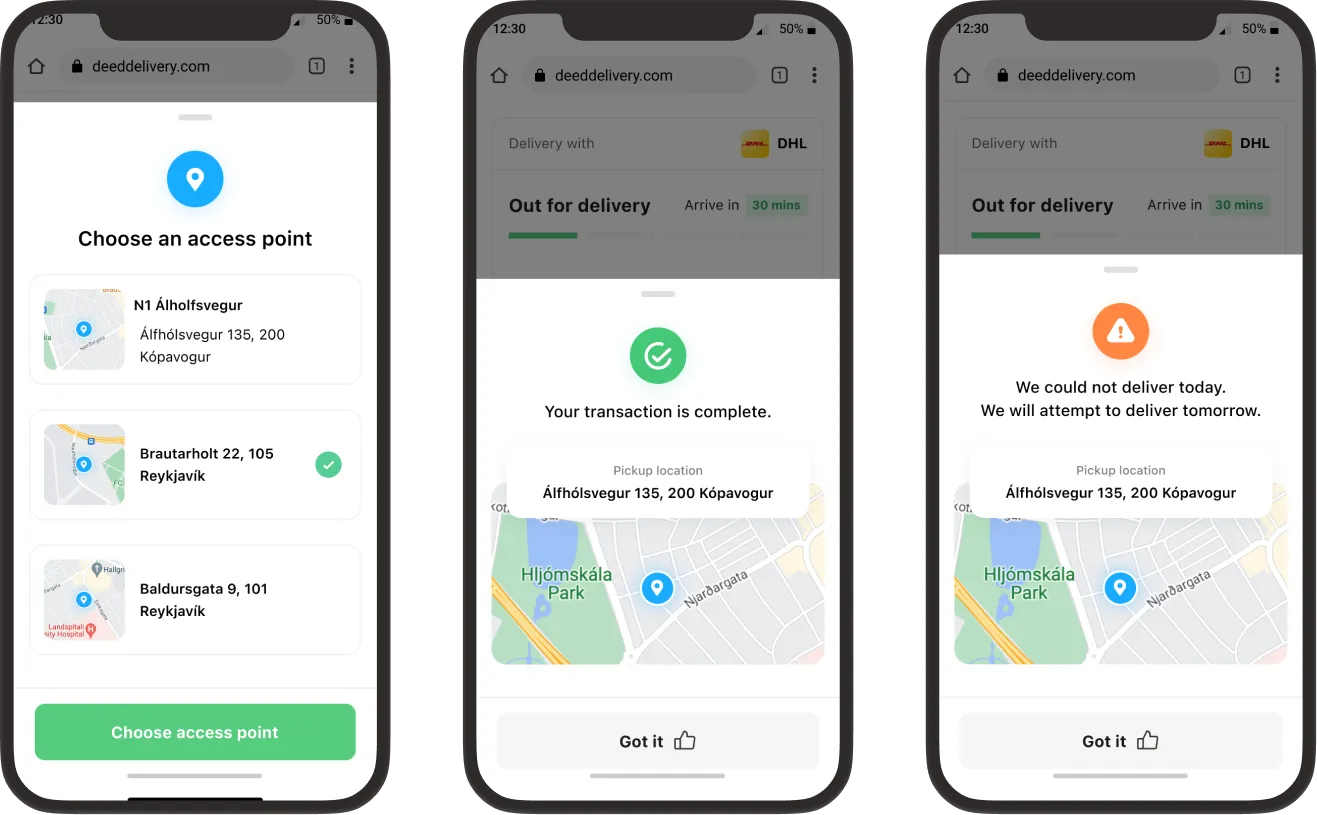
Access PointsPick up nearby instead

Receivers who won’t be home can choose a nearby access point, and see a clear confirmation once the transaction is complete.

Access points, transaction complete, delivery outcomes

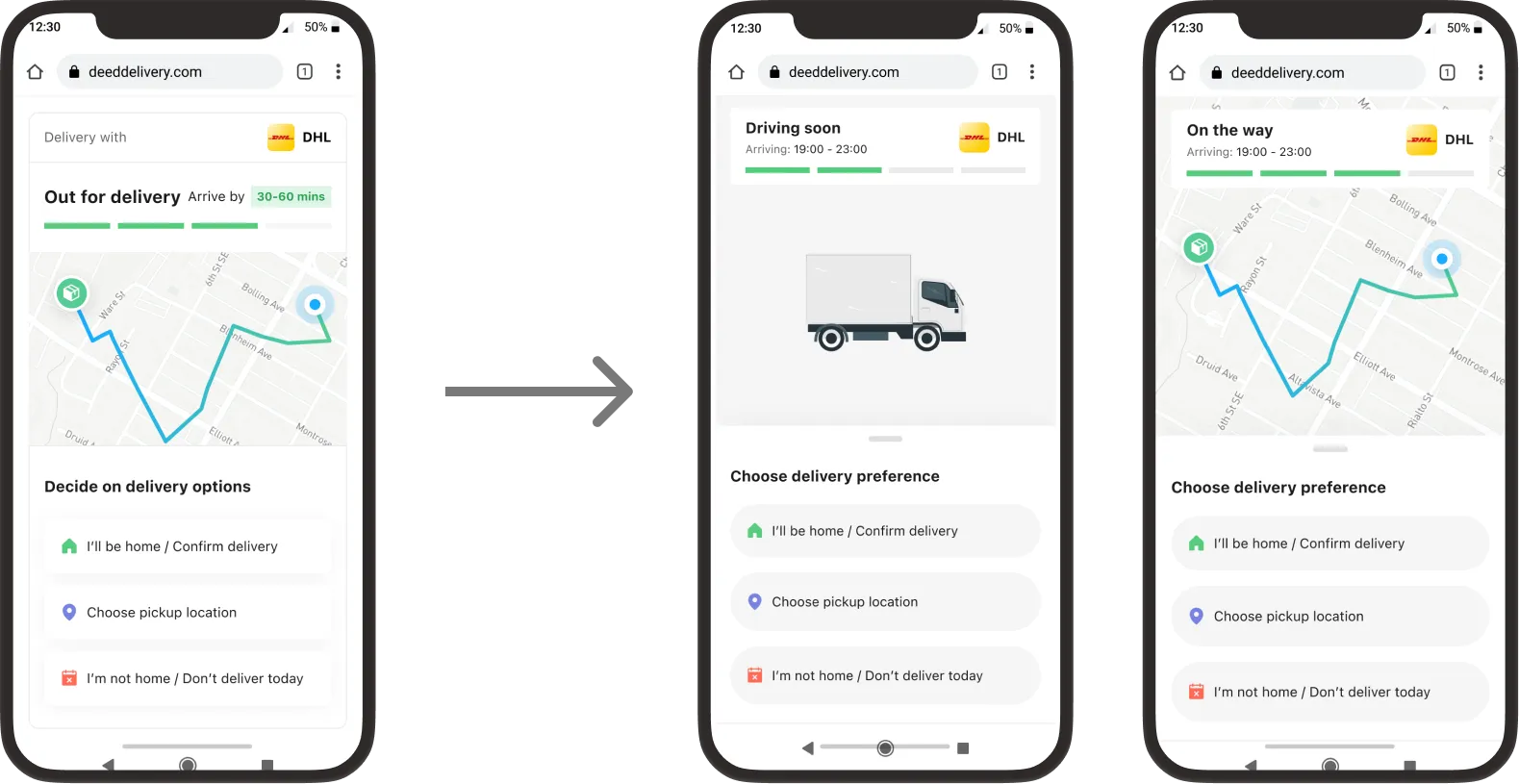
The Full JourneyFrom out for delivery to on the way

How the tracking screens connect, from the moment a package goes out for delivery to the driver being on the way.

Customer journey from out for delivery to on the way